Log inRequest demo
Back to Solutions

Agentless AI runtime visibility and control

See every agent, on any device, from any provider, in the same place as your identity, endpoint and cloud data. The full picture, not another silo, is what makes Exaforce AI security real, fast and complete.
Request demo
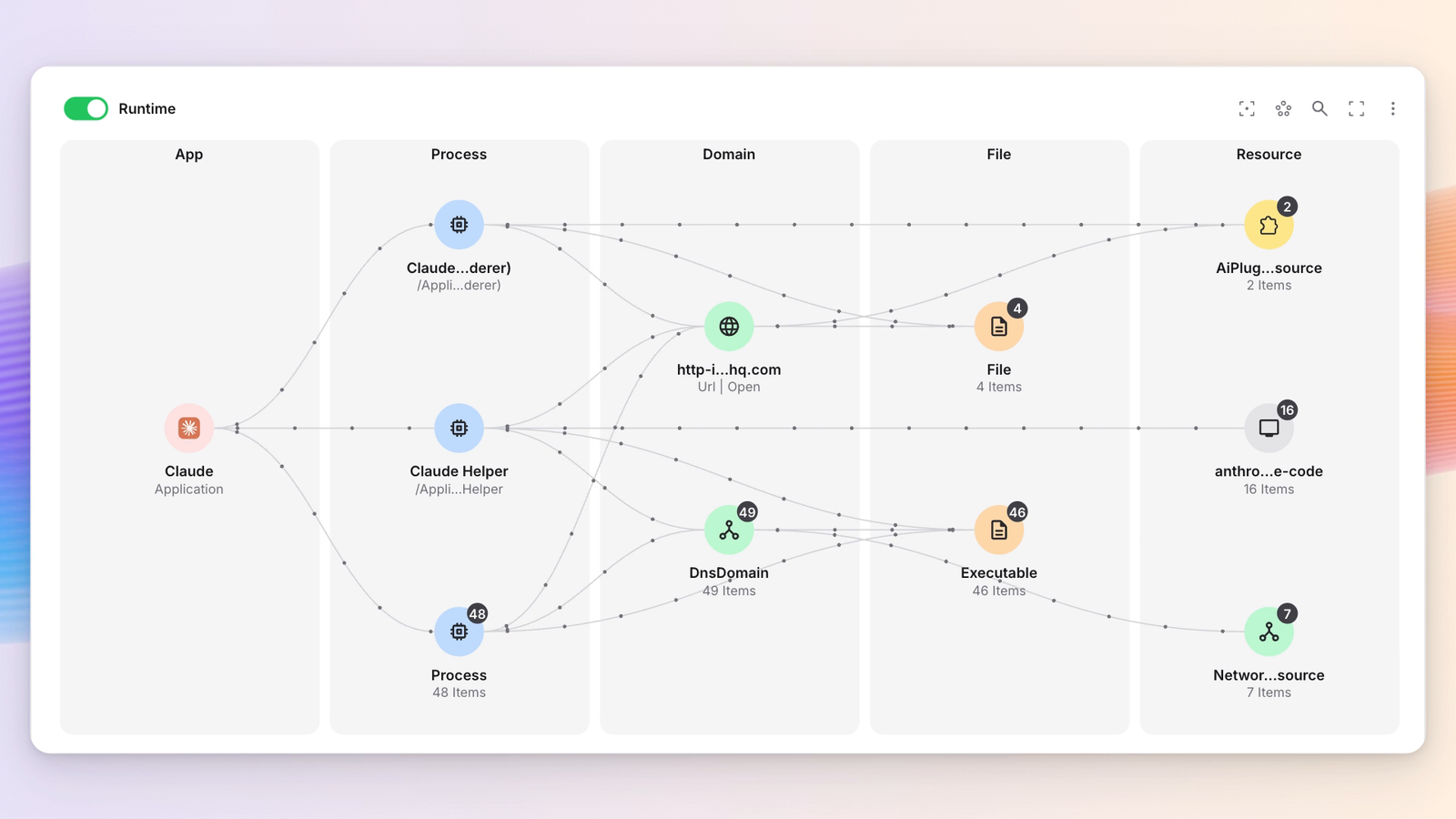
An AI agent runtime graph in Exaforce, tracing the Claude application through its helper processes to the domains, files, executables and resources they reached.

Challenges with AI & Agentic apps detection

  1. They are everywhere

    On the endpoint or hosted. Via harness, desktop app, or browser. Living in your repo as skills, or as MCPs. Seeing them all is a struggle.

  2. They look like you

    Agents wear human identities — an OAuth token, service account, borrowed session. Standard telemetry won’t tell you who acted, or which agent it was.

  3. They thrive on endpoints

    Developers run agents that read files, open shells, call out. Endpoint tooling logs each step, but can’t tell an agent’s action from a human’s.

  4. They act fast, really fast

    Agents can rotate a key, merge a PR, email a customer, faster than an analyst opens a ticket. Each action is legitimate. The session is not.

Exaforce empowers you to account for every AI action, on every surface

Gain visibility over every agent, AI application, skill, or MCP server, tie every action back to the human and the device behind it, and respond across endpoints, clouds and identities with the same agent speed.
Agentless Visibility, Endpoint or Hosted

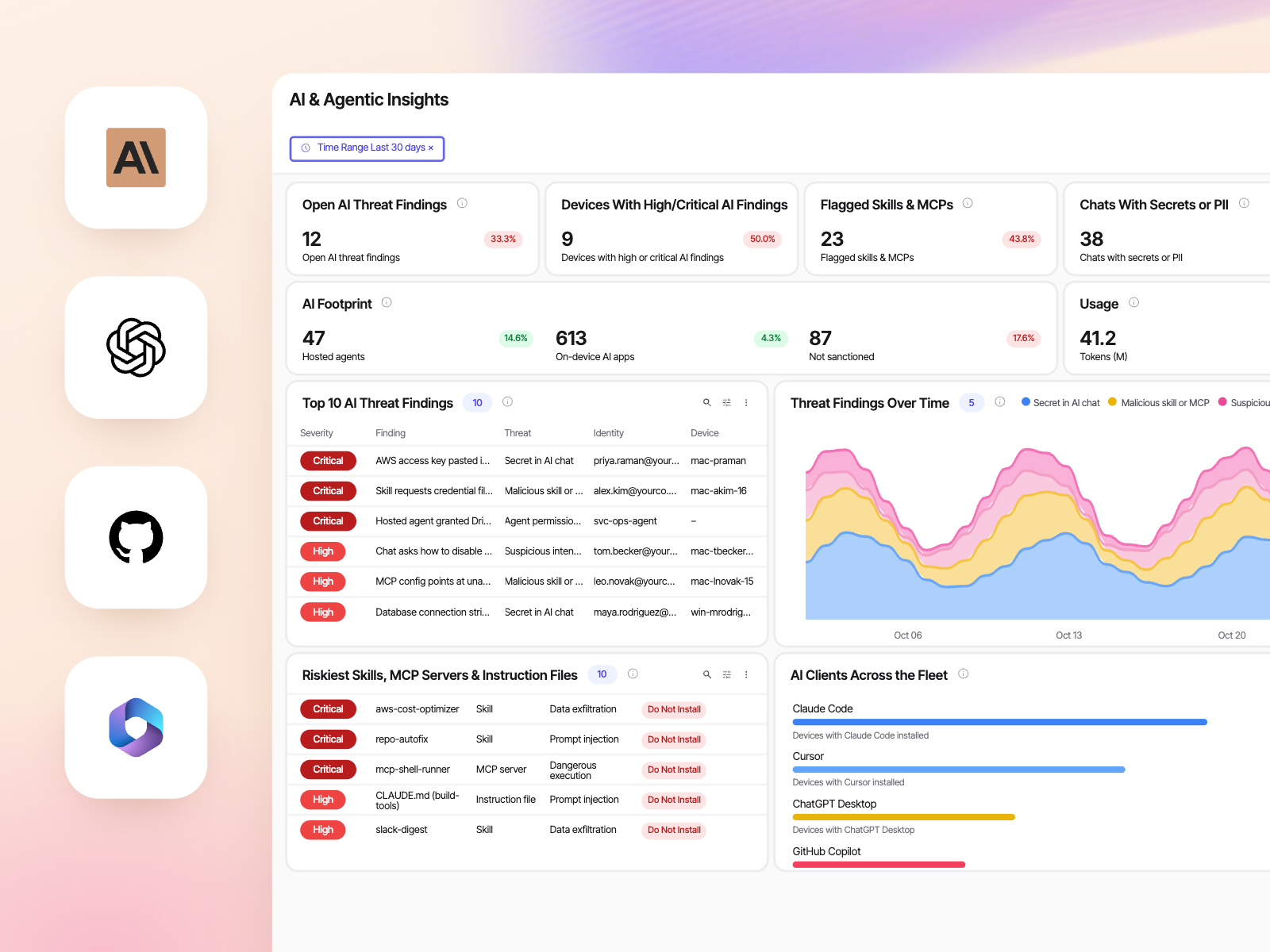
Exaforce leverages the data you already have and native integrations with LLM providers to give you full visibility into every agent and application, on any endpoint, or host with the widest breadth available.
Flag risks, before the attack

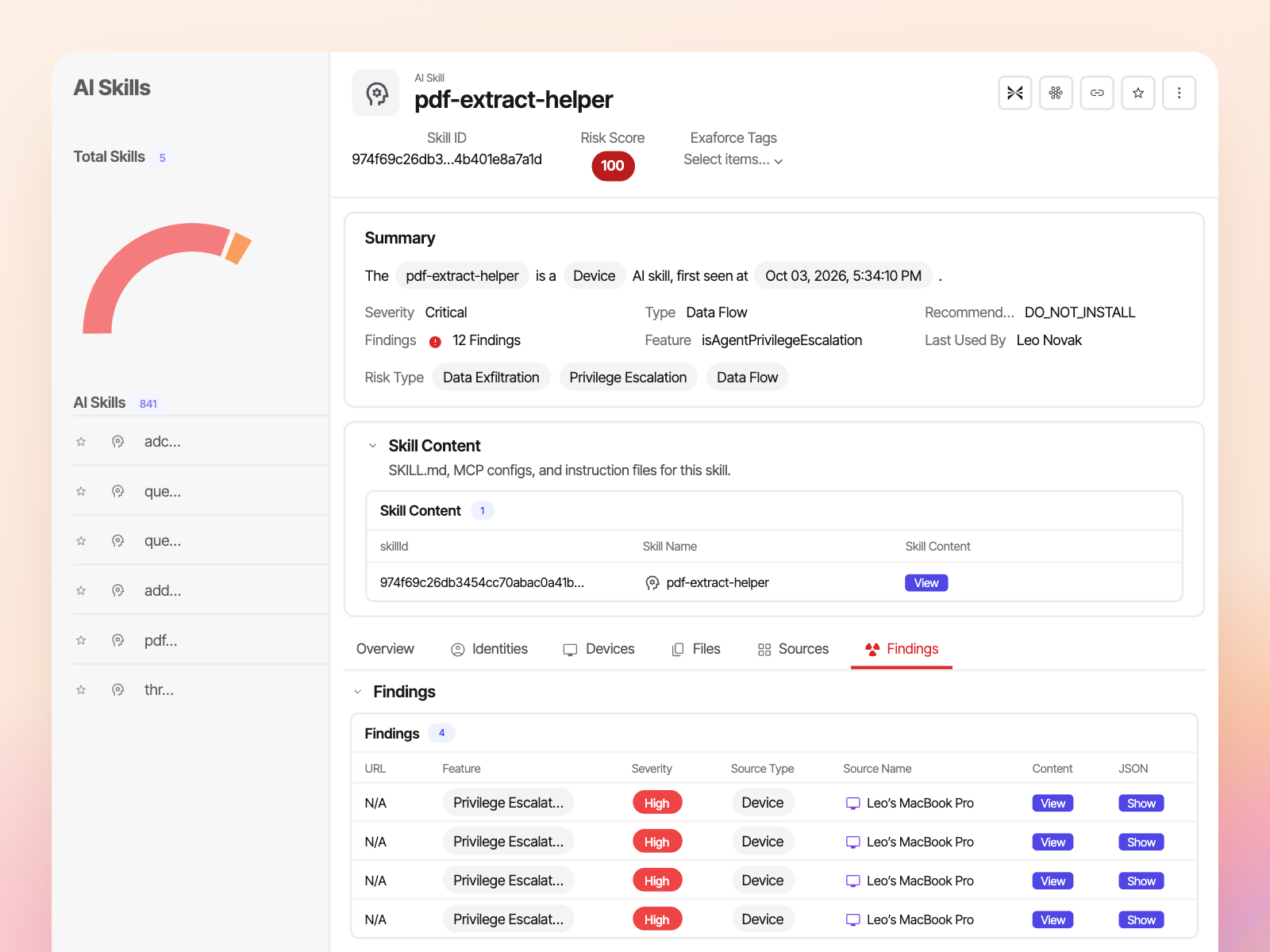
Every agent, skill, MCP server, or plug-in gets a real risk score and a remediation recommendation, so you can mitigate the risky ones before an attack happens.
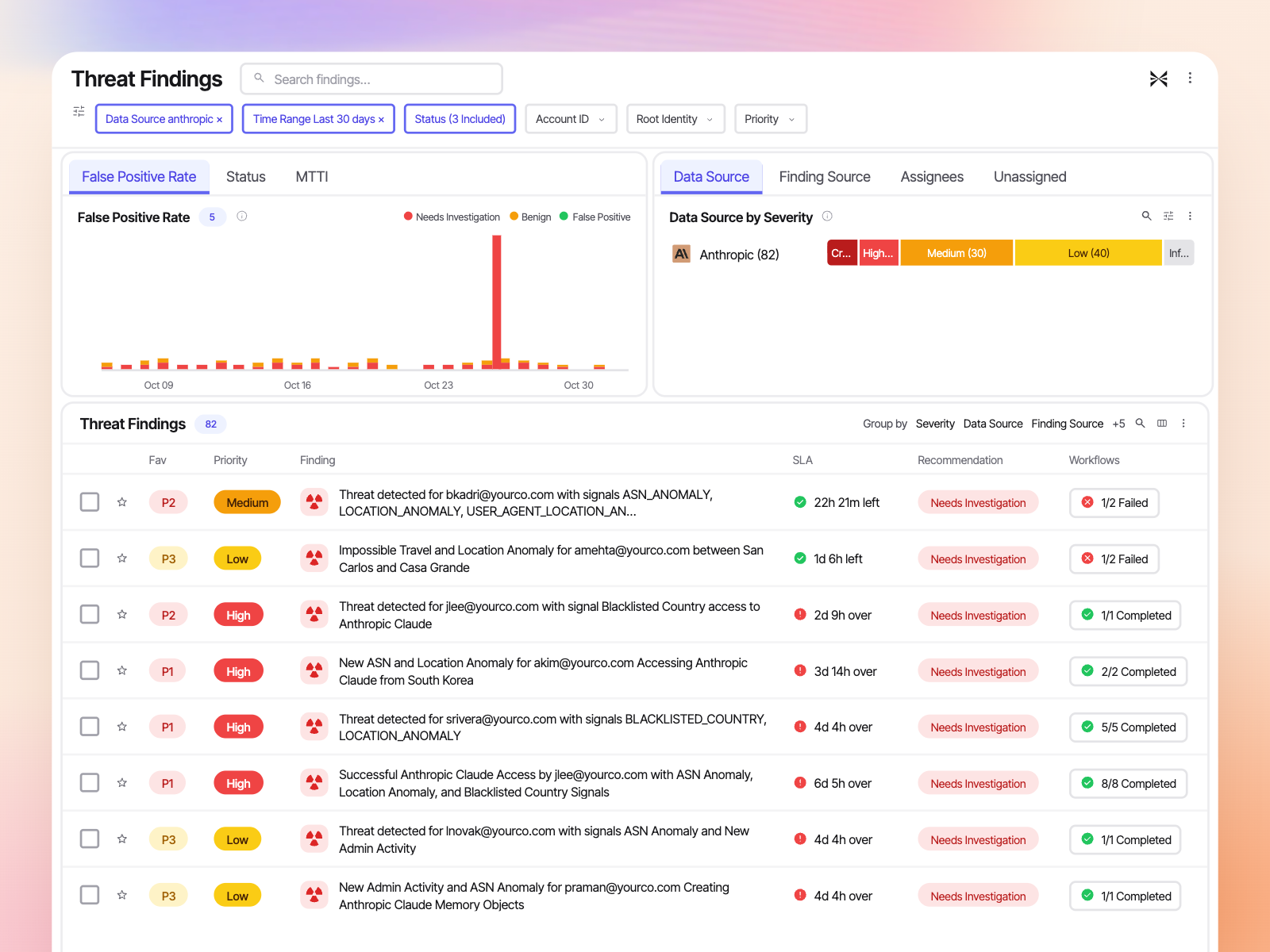
Agent speed detection

Exaforce sessionizes and correlates agentic apps such as coding agents, desktop apps, skills, MCP servers, on endpoint, cloud or repos, identities, and actions - as they happen, to detect actual threats and minimize the impact in real time.
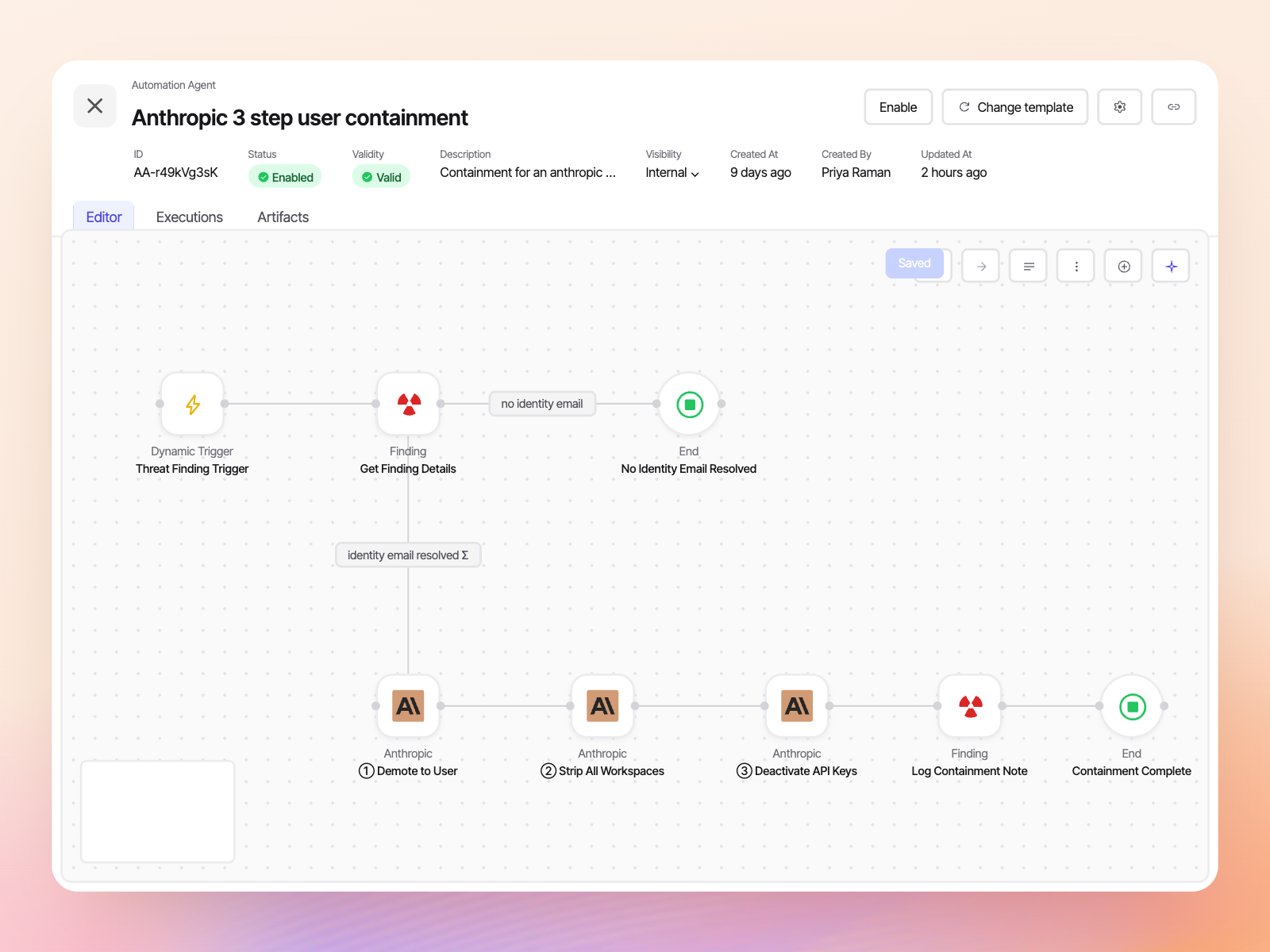
Respond at agent speed

From containing an endpoint or blocking an agent on it, demoting a user or revoking a session, automated or human-driven - Exaforce has a full library of remediation options, run by your team or our MDR, out of the box or custom.
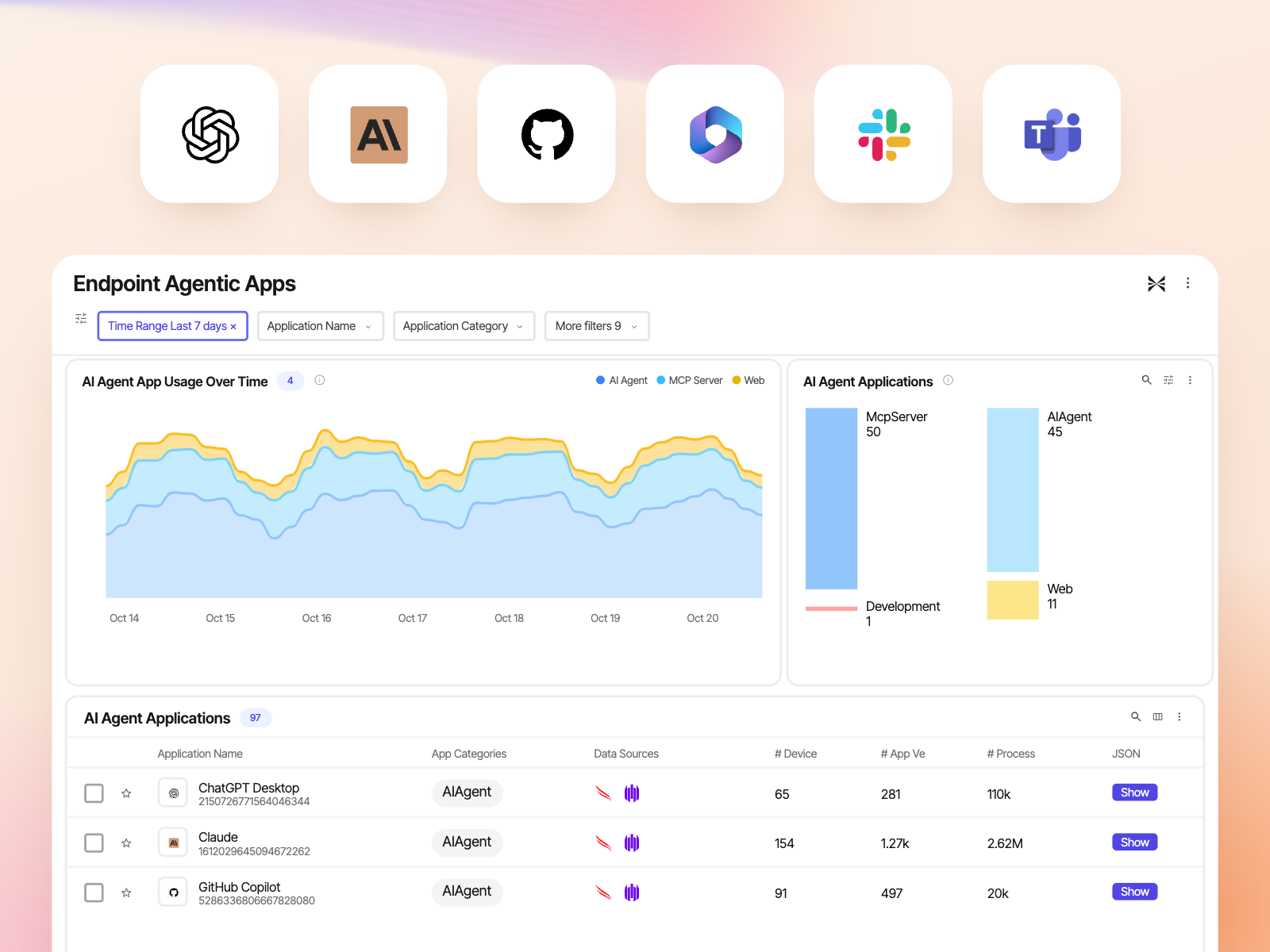
Governance

Govern AI usage, not just monitor it. Oversee every token and application across your organization. Set policies for sanctioned and unsanctioned AI, and enforce them directly through the platform.
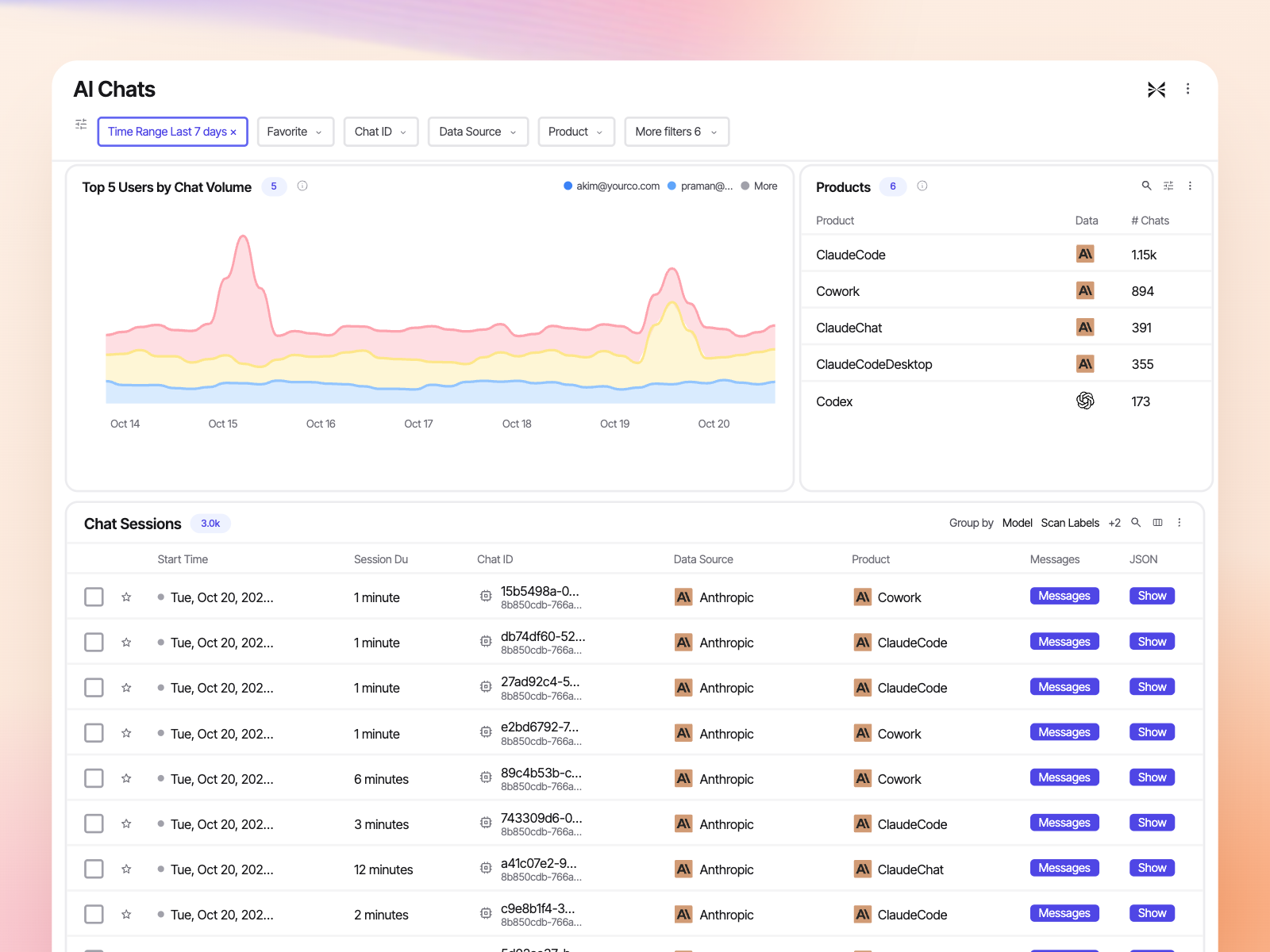
AI usage and spend

Monitor token spend and model usage per user. Identify users abusing corporate token budgets, and see personal versus business usage. Runaway cost and quiet misuse show up here first.

AI agents are creating a new operating problem for the SOC: software can now act with human identities, permissions and authority, while operating at machine speed. The security challenge therefore moves beyond simply discovering agents toward understanding behavioral intent and enforcement. In our coverage, Exaforce is the first agentic SOC vendor correlating SOC with AI activity across identity, endpoint, cloud and code context. This is directionally important because this is where agent security and traditional security operations increasingly converge.

Francis Odum

Founder & CEO, Software Analyst Cyber Research

Frequently asked questions

How does Exaforce discover AI agents and applications without deploying anything new?
Most AI inventory tools ask you to install another endpoint agent or route your traffic through a proxy. Exaforce reads the connections you already have: the AI providers' admin APIs, your EDR and MDM, your identity provider and your code repositories. From those it builds one inventory of hosted agents, desktop and CLI agents, browser use, skills, MCP servers and instruction files, each tied to the device it runs on and the person behind it. Nothing new runs on the laptop, and nothing sits between your employees and the model.
How does Exaforce tell an AI agent's activity apart from a human's?
Agents act with human credentials, so an OAuth token, a service account or a borrowed session all look like the employee in standard telemetry. The Semantic Model resolves the agent, the human and the device into one identity picture. The Behavioral Model learns what normal looks like for each of them separately, and the Knowledge Model connects the process on the endpoint to the token in the cloud and the action in the SaaS application. The result is a finding that says which agent acted, on whose behalf and what it touched, instead of an anomaly on a user account.
What types of AI agents and applications does Exaforce monitor?
Hosted assistants and agents from the LLM providers, coding agents and desktop applications on employee laptops, browser based use, and the third party AI applications your users granted access to Google Workspace and Microsoft 365. Underneath those, Exaforce inventories the agent supply chain: the skills, MCP servers and instruction files sitting in repositories and on endpoints, which are the pieces that decide what an agent is allowed to do. Each one carries its own risk score, the identities that use it and the devices it runs on, so shadow AI shows up as an inventory item rather than a surprise during an incident.
How is this different from an AI gateway or a prompt firewall?
A gateway sits inline and inspects prompts, which covers the traffic that passes through it and shows you the conversation but not the consequence. Exaforce is not inline and needs no new agent. It watches what the agent did across your existing telemetry: the process it spawned on the laptop, the file it read, the token it used, the SaaS object it changed, then correlates those into one finding with the human and the device attached. If you already run a gateway, the two sit together, with the gateway enforcing at the prompt and Exaforce covering everything the agent does afterwards.
What are Exaforce response capabilities to rogue agents?
Response runs through controls you already own, so there is nothing new to deploy in the response path. Exaforce can quarantine the device through your EDR, kill the agent process, revoke the user's sessions in Okta, Entra ID or Google Workspace, and revoke a third party AI application's access for one user or the whole tenant. On the provider side it can act directly in Anthropic, OpenAI, Cursor, Google Gemini and Amazon Bedrock, including deactivating an API key, changing a user's role or capping spend. Automation agents run these out of the box or customized, fully automated or gated on analyst approval, so the reversible steps fire immediately while the irreversible ones wait for a human.
Can Exaforce see what employees put into AI chats?
Conversation content sits behind a dedicated permission in Exaforce, so only the people you nominate can open it, and every other analyst works the finding from the label and the secret type alone. No Exaforce employee can read your conversations, and the capability can be switched off entirely at your request. When it is on, Exaforce reads through the providers' own compliance and admin APIs rather than intercepting traffic, labeling conversations that carry secret material or personal data and separating business use from personal use on corporate accounts. In most cases that is enough to confirm a leaked credential and start rotating it without anyone reading the conversation.